


Internal Linking Strategies You Can Do with Free Tools
January 7, 2025 ~ By Shari Rose
Internal linking is one of the simplest and most cost-effective ways that small businesses and nonprofits can improve their websites’ SEO performance. These links connect the pages within your own website, and is often an overlooked strategy that produce dividends in the long run.
Well-placed links help Google to find, understand and organize website pages in its search results. In many cases, internal linking even helps the search engine understand what pages are most important, and how they relate to each other on your website. Your audience also benefits from strategically placed links by diving deeper into relevant topics and learning more about the services your business provides.
For smaller organizations competing against large corporate sites, internal linking can be a quiet equalizer. Local businesses and nonprofits with smaller budgets may not be able to pursue paid advertising, but you do have complete control over how your website’s pages connect to each other. And the results are indeed, real.
According to a 2025 SEO case study from long-time industry expert Cyrus Shepard, pages with more incoming internal links tend to receive more organic traffic. But there are limits. Too many internal links on a page often decrease its traffic. Like most strategies in SEO, it’s key to find a balance that does not oversaturate the website in optimization tactics. We’ll discuss how to avoid those common pitfalls that can undermine your website’s results, and show you how to implement your own internal linking.
How to Create Your Website’s Internal Linking Strategy
The most impactful place to start is with your highest-priority pages. These can be split into two groups: 1) the pages that matter most to your organization, such as main services and flagship content, and 2) the pages that receive the most organic traffic each month. For example, your site may have a handful of blog posts that already perform well on Google and attract traffic.
The reason we want to spend time on your website’s most popular pages, and not only the ones most important to your business or nonprofit, is due to “link equity.” When one of your pages earns authority through strong traffic, external backlinks or both, internal links allow that authority to flow to its connected pages. This helps other content benefit from the strength of your successful pages.
- More articles: Google Business Profile Optimization Tips to Improve Rankings
- More articles: How to Check & Fix Website Indexation with Free SEO Tools
Once you’ve identified these pages, make a short list of 5 to 10 pages you most want visitors (and Google) to find, then look for opportunities throughout your site to link to them. There may be a lot of overlap between those two initial groups of pages and the list you have now, which is normal. Here’s where the real work comes in: finding natural places within body content to link your pages.
It’s important to keep in mind that not every page is relevant to one another. For instance, an auto body shop that provides collision repair and glass repair will often differentiate between those two parent services. It wouldn’t make sense for every one of this shop’s auto glass blogs to have links to its Fender Bender service page. But, it would be useful to have a few blogs about hail damage and parking lot dents on its Paintless Dent Removal service page.
Tools to Find Internal Links to a Page
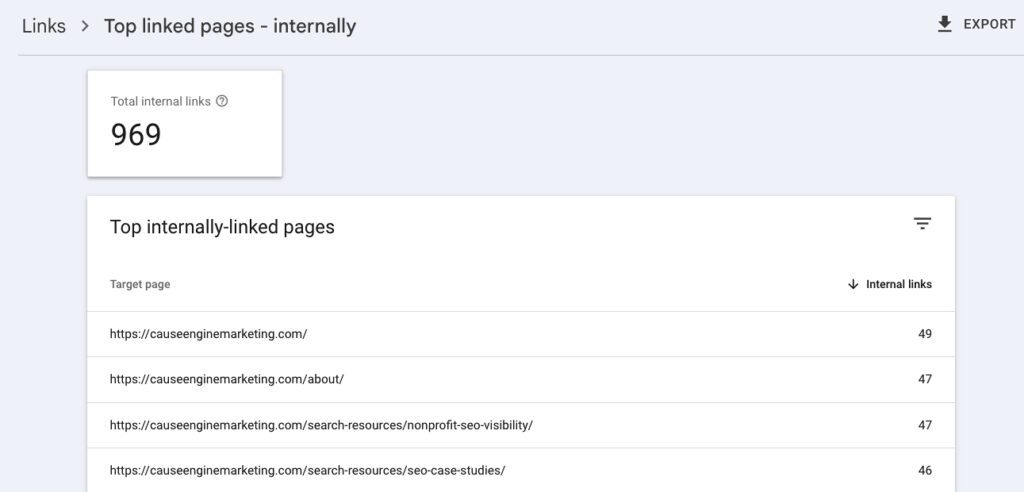
There are many paid SEO tools out there that can help you see what pages have the most to least existing internal links, but a free option that we use often at Cause Engine Marketing is Google Search Console. If you have one set up for your website (and we highly recommend that you do that if not), head over to “Links” in the left-hand sidebar.
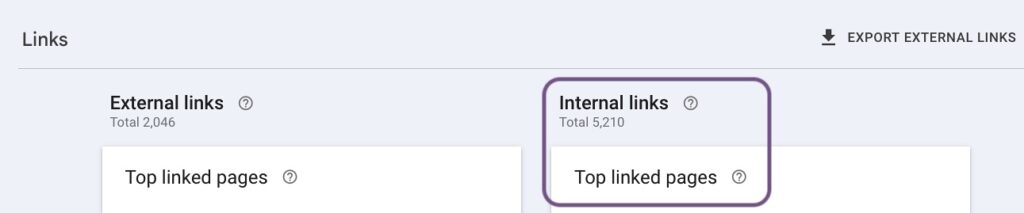
Here, you can see the numbers for both internal and external links on the site. Click on the “More >” button under the “Internal links” section to see the full list of your webpages. You can even click on an individual URL to see exactly which of your pages are currently linking to that one.
Anchor Text & Orphan Pages
When you create those links, the actual words that become clickable are called anchor text. In SEO, anchor text actually matters quite a lot. Generic phrases like “click here” or “learn more” tell Google nothing about the linked URL. Instead, use descriptive language that hints at the content you’re linking to. For example, rather than writing “To learn more about our work, click here,” try “Explore our community development programs.”
Beyond anchor text, take care to watch for orphaned pages. These are webpages that have few or even zero internal links pointing to them. Orphaned pages can be a real problem because Google’s crawlers find pages by following links. If no internal links exist, it can be very difficult, even impossible, for the search engine to discover that URL and index it. On the human side of things, if a page is not linked anywhere on your site, it’s highly unlikely your local audience would be able to find it either.
Mistakes to Avoid with Internal Linking
In addition to writing vague anchor text, here are a few common pitfalls to be aware of when creating new internal links on your site.
- Overloading pages with links. If every other sentence contains a link, you can dilute their value. Both human readers and search engines may struggle to determine what’s truly important when everything is emphasized equally. Taking a purposeful approach that only links a page when genuinely relevant carries more weight than scattering links throughout every paragraph.
- Focusing only on new content. When publishing a new blog post or page, it’s natural to add internal links pointing outward to existing content. But the reverse is just as important. Going back to older pages and adding links from your newer content helps Google discover those pages faster and signals that they deserve attention.
- Neglecting broken links. Over time, pages get deleted and URLs change. A visitor who clicks a link and hits a dead end instantly loses trust in the site. Google notices too, because broken links create a poor user experience and signal that a site isn’t well maintained. Periodically auditing your internal links helps you catch and fix these issues before they accumulate. Google Search Console can help with this too, under the “Pages” option in the sidebar.
While internal linking isn’t going to transform your website’s SEO performance overnight, it is a budget-friendly strategy whose impact compounds over time. A well-linked site helps Google understand your most important content, distribute authority to pages that deserve it and raise those pages in rankings over the long time. For small businesses and nonprofits working with limited resources in particular, these benefits can matter a whole lot.